Backing up iPhone for apps/data

Hi there,


Can anyone assist me?! I am taking my phone into the store shortly to the geniuses, as my charger socket is not working. You have to hold the charger in and to the right to charge it. In anticipation, they may replace my iPhone but I want to make sure my backup will restore my apps and their data (lots of app info and game saves) I do not use the cloud but have backed up my phone to a computer.. but I cant see any of the apps on the PC so how will this work when it comes to restoring the new phone?


Am I missing something? I'm worried I will restore the new phone to have no apps or data and no photos! I have followed the instructions on the apple site and it seems to have backup up successfully but what will happen with a new phone?


Do the apps restore to the phone but then download off of WiFi or do they download from the PC via the lightning cable?


I am confused


thanks

Dan

iPhone 6s, iOS 9.3.5

Posted on Sep 6, 2016 9:26 AM

Reply
7 replies

Sep 6, 2016 9:50 AM in response to DanielWilko

DanielWilko wrote:


Hi there,


Can anyone assist me?! I am taking my phone into the store shortly to the geniuses, as my charger socket is not working. You have to hold the charger in and to the right to charge it. In anticipation, they may replace my iPhone but I want to make sure my backup will restore my apps and their data (lots of app info and game saves) I do not use the cloud but have backed up my phone to a computer.. but I cant see any of the apps on the PC so how will this work when it comes to restoring the new phone?


Am I missing something? I'm worried I will restore the new phone to have no apps or data and no photos! I have followed the instructions on the apple site and it seems to have backup up successfully but what will happen with a new phone?


Do the apps restore to the phone but then download off of WiFi or do they download from the PC via the lightning cable?


I am confused


thanks

Dan

How to back up your iPhone, iPad, and iPod touch - Apple Support

Sep 6, 2016 10:03 AM in response to DanielWilko

DanielWilko wrote:


As i have explained, I followed these instructions. I am asking about the process.

it gets no clearly than this directly from the link


iTunes

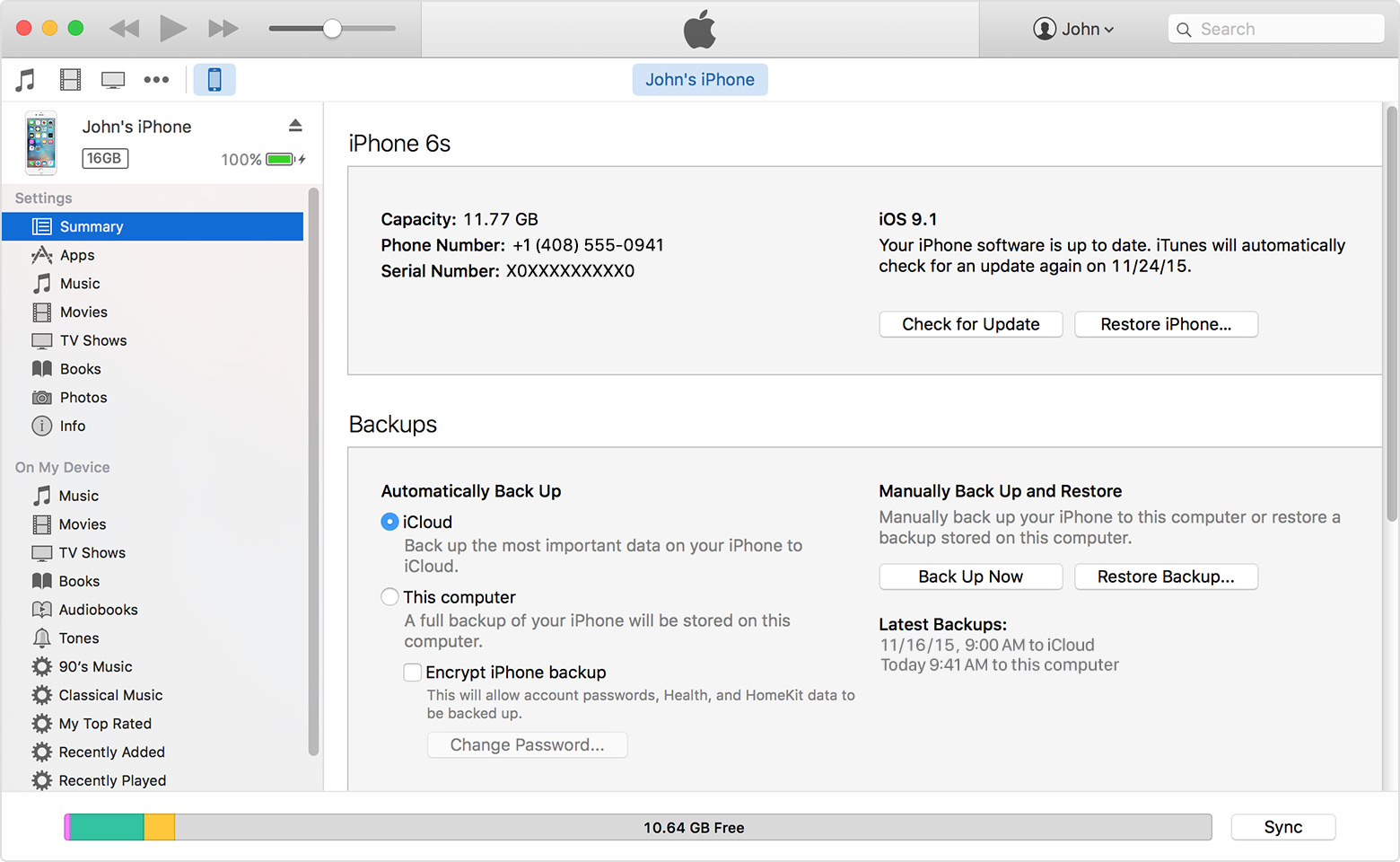
  1. Open iTunes and connect your device to your computer.
  2. If a message asks for your device passcode or to Trust This Computer, follow the onscreen steps. If you forgot your passcode, get help.
  3. Select your iPhone, iPad, or iPod when it appears in iTunes. If your device doesn't appear in iTunes, learn what to do.
  4. If you want to save Health and Activity data from your iOS device or Apple Watch, you need to encrypt your backup: Select the box called Encrypt [device] backup and create a memorable password.
    Write down your password and store it somewhere safe, because there's no way to recover your iTunes backups without this password.
    If you don't need to save your Health and Activity data, you can make a backup that isn't encrypted. Just click Back Up Now.
    User uploaded file
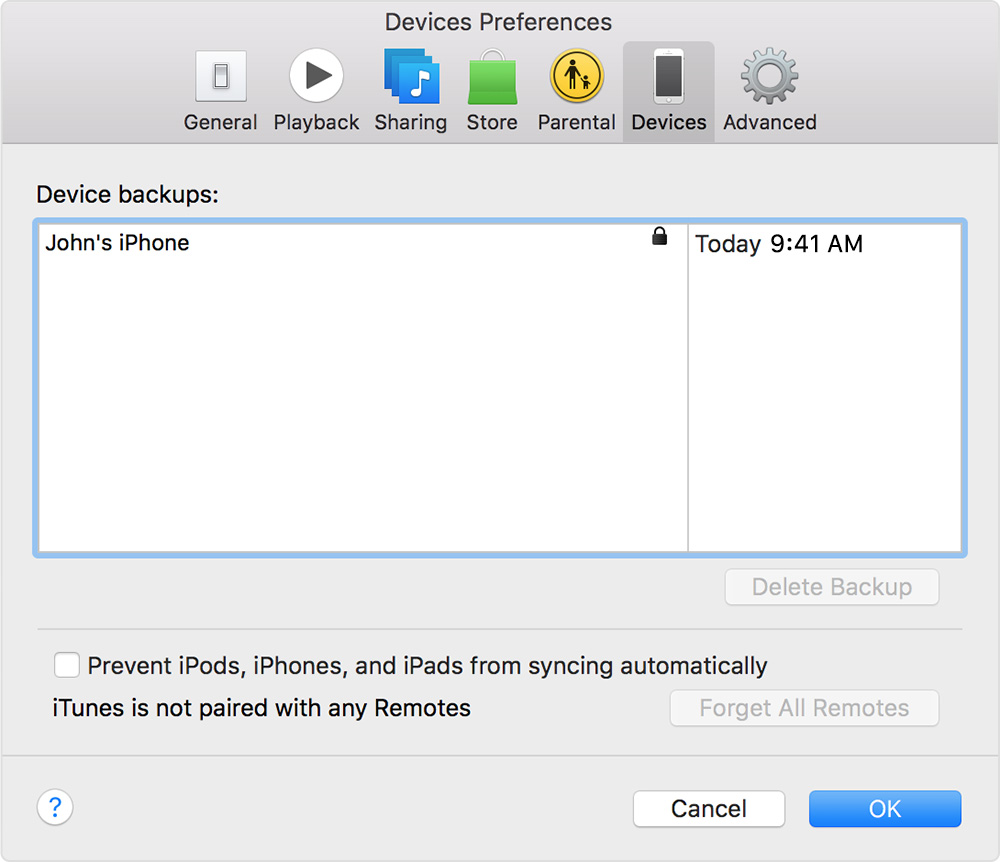
  5. After the process ends, you can see if your backup finished successfully in iTunes Preferences > Devices. You should see the name of your device with the date and time that iTunes created the backup. If you encrypted your backup, you should also see User uploaded file beside the name of your device.
    User uploaded file

Get help making a backup.

User uploaded file

Learn more

This thread has been closed by the system or the community team. You may vote for any posts you find helpful, or search the Community for additional answers.

Backing up iPhone for apps/data

Welcome to Apple Support Community
A forum where Apple customers help each other with their products. Get started with your Apple Account.